Newline
Interactive Flat PanelsSKU 86" Q+ Pro
Newline Q+ Pro 86-inch Interactive Flat Panel – 86 Q+ Pro
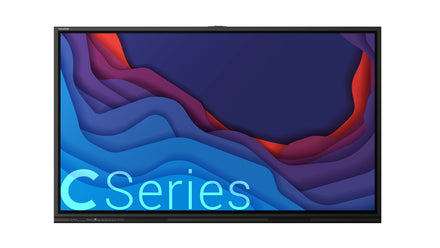
The Newline Q+ Pro 86-inch is an interactive flat panel for classrooms and meeting rooms, with an Android home screen, annotation tools and an OPS computer slot. Its front USB-C port provides 100 W power delivery, and the side ports include HDMI, DisplayPort, RS232 and RJ45 LAN. Procure.ae supplies the Q+ Pro 86-inch in the UAE.
The Q+ Pro home screen combines a Google search bar, a Quick Access Toolbar and an Android toolbar with sound settings, running apps, back, home and task switcher. The Quick Access Toolbar opens classroom tools, a calendar, a calculator and a clock. Annotation draws on top of any screen, and a second tap saves a screenshot. A whiteboard screen lets users draw and take notes instantly. Front buttons adjust volume and brightness, and the power button turns the panel on.
The Q+ Pro suits classrooms and meeting rooms where presenters switch between laptops, USB sources and the built-in OPS computer. Plugging a device into the front ports brings it on screen automatically, and the Source menu switches between connected devices. Apps can be moved, grouped into folders or removed from the home screen. The side ports add two HDMI IN 2.0 inputs, a DisplayPort 1.2 input, three USB Type-B touch ports, HDMI Out, RS232, RJ45 LAN in and out, SPDIF and a Wi-Fi module slot.
Screen Size
86 inch
Type
Interactive Flat Panel
- Android home screen
- OPS computer shortcut
- Annotation and whiteboard
Delivery across UAE & GCCDubai, Abu Dhabi, Sharjah & beyond
Manufacturer warrantyBacked by the brand
InstallationArranged on request
Key features
01
Android home screen
Google search bar, Quick Access Toolbar and Android toolbar on the panel.
02
OPS computer shortcut
one tap opens the built-in OPS computer from the home screen or floating menu.
03
Annotation and whiteboard
draw over any screen, and tap the annotation shortcut twice to save a screenshot.
04
One-tap source switching
connected devices light up in the Source window for quick switching.
05
100 W USB-C power
front USB Type-C port rated for 100 W power delivery.
06
Front and side ports
front USB touch, HDMI, two USB 3.0 and mic-in, plus side HDMI, DisplayPort, RS232 and LAN.
07
Rearrangeable app layout
long-press to move apps, create folders or uninstall apps.
08
Wi-Fi module slot
side slot for a wireless module alongside the OPS slot.
Specifications
7 specificationsGeneral
Key FeaturesAndroid home screen, OPS computer shortcut, annotation and whiteboard, one-tap source switching, 100 W USB-C, app folders, Wi-Fi module slot
Model86" Q+ Pro
TypeInteractive Flat Panel
Display
Screen Size86 inch
Connectivity
OPS Slot1 OPS slot
PortsFront: USB-C 100 W PD, HDMI In, USB touch, USB 3.0 × 2, mic-in. Side: HDMI In × 2, DisplayPort, USB touch × 3, HDMI Out, RS232, RJ45 LAN, SPDIF, audio out, OPS slot
USB-C Ports2 (front 100 W PD, side without PD)
Downloads
Manufacturer documents for the Newline Q+ Pro 86-inch Interactive Flat Panel – 86 Q+ Pro — datasheets, manuals, drawings and certificates.
Questions
Can’t find your answer? Ask on WhatsApp
Does the Q+ Pro 86-inch run Android?
Yes. The home screen includes an Android toolbar, a Google search bar and installed apps that you can rearrange, group into folders or remove. The built-in OPS computer runs alongside it and opens from the Source window or the floating menu.
How do I open the built-in OPS computer?
Tap the Source icon on the home screen, then tap the OPS button in the Source window. You can also use the OPS shortcut on the floating menu on either side of the display, and the OPS computer opens on the panel.
How do I switch between inputs?
Tap the Source icon on the home screen. Any device connected to the display lights up white in the Source window, and tapping its icon switches to that source. Plugging a device into the front ports also brings it on screen automatically.
Can I annotate and save screenshots?
Yes. Tap the Annotation shortcut to write over whatever is on the screen, and tap it a second time to save a screenshot. The Whiteboard shortcut opens a separate screen for drawing and taking notes.
Does the front USB-C port provide power delivery?
Yes. The front USB Type-C port is rated for 100 watts of power delivery. Check that your laptop or device supports USB power delivery before connecting, so that charging and video work as expected.
Can I buy the Q+ Pro 86-inch in the UAE?
Request a quote via WhatsApp +971 4 546 5041 or email info@procure.ae.